





“I swear I entered that customer’s allergy information last week, but now it’s nowhere to be found!” (restaurant CRM mistakes)
Sound familiar? If you’re nodding your head right now, you’re not alone. Last month, Priya, who owns a popular South Indian restaurant in Mumbai, was pulling her hair out over her “game-changing” CRM system that had become more of a headache than a help. Her staff was entering duplicate customer records, important dietary preferences were getting lost, and worst of all, they accidentally sent a “Try our new mutton biryani!” email to their vegetarian customers.

The truth is, a CRM system can be your restaurant’s secret weapon for building customer loyalty, streamlining operations, and boosting profits. But when it’s not set up or managed properly, it becomes a digital disaster that costs you time, money, and customers.
Let’s dive into the seven most common CRM mistakes restaurant owners make and, more importantly, how to fix them before they hurt your bottom line.
1. Not Standardizing Restaurant CRM Data Entry
Picture this: The hostess enters a customer as “Rajesh Sharma,” the server logs the same person as “R. Sharma,” and the manager creates yet another profile for “Rajesh S.” Three different entries for one customer? That’s a recipe for confusion.
Without standardized data entry processes, your CRM becomes a chaotic mess. Staff members across different departments enter information differently, leading to duplicate entries, incomplete customer profiles, and frustrated employees who can’t find what they’re looking for.
The consequences are real:
The server can’t see that Rajesh is allergic to shellfish because that information is stored under a different profile. Marketing emails get sent multiple times to the same person, annoying them. Customer insights become unreliable because the same customer appears as three different people in reports.
Here’s how to fix it:
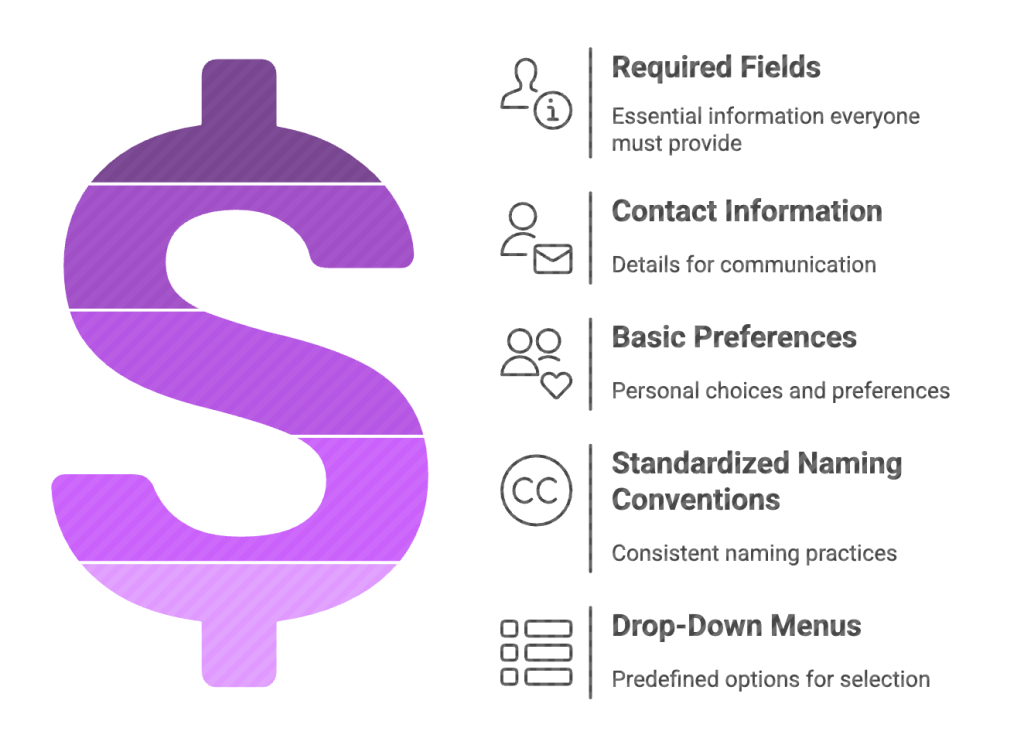
Create unified required fields that everyone must fill out, including contact information and basic preferences. Establish standardized naming conventions using drop-down menus instead of free-text fields where possible. For example, instead of letting staff type “vegetarian,” “vegan,” “veggie,” create a dropdown with consistent options.
Set clear data entry rules and make sure everyone knows them. Implement regular checks for duplicates and train your team to search existing profiles before creating new ones. Consider investing in CRM tools that automatically detect and merge duplicate entries.
2. Letting Restaurant CRM Data Go Stale
Dead data is worse than no data. If your CRM is filled with outdated phone numbers, old email addresses, and customers who haven’t visited in three years, you’re not just wasting storage space – you’re actively hurting your marketing efforts and customer relationships.
Imagine sending a “We miss you!” email to someone who moved across the country two years ago, or worse, to someone who had a terrible experience at your restaurant and never wants to hear from you again.
The impact goes beyond embarrassment
Poor data quality affects your ability to provide personalized service, comply with privacy regulations, and make informed business decisions. It also wastes your marketing budget on campaigns that reach the wrong people.
The solution is systematic maintenance
Schedule regular data audits at least quarterly. Set up automated processes to flag inactive contacts and outdated information. Create a simple system for staff to update customer information when they learn about changes during natural conversations.
Remove contacts who have unsubscribed, bounced emails multiple times, or haven’t engaged with your restaurant in over two years. Keep your data fresh and your insights accurate.
3. Ignoring Customer Preferences and Feedback in CRM
Your CRM isn’t just a digital phone book – it’s your memory bank for creating personalized experiences. Yet many restaurants treat it like a basic contact list, missing out on the goldmine of information that could transform their customer service.
When restaurants fail to track customer preferences, dietary restrictions, favorite dishes, and feedback, they’re throwing away opportunities to make customers feel special and valued. Sneha loves the corner table by the window and always orders her paneer tikka extra spicy. If the system doesn’t remember this, staff are starting from scratch every time she visits.
The consequences of neglecting this information are severe:

Poor customer retention, negative online reviews, and missed opportunities for upselling. Customers expect personalized service, especially when they’re regulars.
Turn your CRM into a customer preference powerhouse:
Track dining preferences, allergies, special occasions, favorite servers, and even seating preferences. Note feedback from surveys, online reviews, and casual conversations. Use this information to surprise and delight customers – remember their anniversary, suggest their usual drink, or proactively mention that tonight’s special is gluten-free.
Train your staff to view customer interactions as intelligence-gathering opportunities and make updating preferences part of their regular routine.
4. Not Training Your Team on CRM Usage
Here’s a hard truth: Your CRM is only as good as the people using it. You can have the most sophisticated system in the world, but if your staff doesn’t know how to use it properly, you might as well be throwing money down the drain.
Restaurant owners have seen thousands invested in CRM software, only to watch servers struggle with basic data entry, managers avoid using reporting features, and hostesses create new profiles instead of searching for existing ones because they don’t know how the search function works.
Common issues include:
Incorrect data entry that corrupts your database, underutilization of powerful CRM features that could save time and improve service, and staff resistance to using the system because they find it confusing or time-consuming.
Invest in comprehensive training:
Start with CRM basics for all staff members who will use the system. Cover data management best practices, customer interaction protocols, and system-specific features. Create simple reference guides and make training ongoing, not just a one-time event.
Consider appointing “CRM champions” in each department who can help train others and troubleshoot basic issues. The more comfortable your staff feels with the system, the more value you’ll get from it.

5. Not Integrating CRM with POS and Other Systems
Your CRM shouldn’t be an island. When it doesn’t talk to your POS system, reservation platform, inventory management, or other restaurant technology, you’re creating unnecessary work and missing valuable insights.
Imagine having to manually transfer customer order history from your POS to your CRM, or not being able to see reservation preferences alongside dining history. This disconnection leads to incomplete customer profiles and inefficient operations.
The benefits of integration are massive:
Seamless data flow means less manual entry and fewer errors. Better customer insights come from combining purchase history, reservation patterns, and preferences in one place. Improved operational efficiency results from automated processes and unified reporting.
Make integration a priority:
Choose CRM systems designed specifically for restaurants that naturally integrate with existing technology stacks. Modern solutions like Reelo are built with restaurant operations in mind, offering seamless integration with POS systems and automated marketing workflows.
6. Overloading CRM with Data and Complicated Processes
More data isn’t always better. Some restaurants get so excited about tracking customer information that they create overly complex processes that overwhelm both staff and customers. Long signup forms, excessive automated communications, and complicated data entry procedures can backfire spectacularly.
Nobody wants to fill out a 20-field form just to make a reservation, and your customers definitely don’t want to receive daily promotional emails. Staff members won’t use a system that takes five minutes to enter basic customer information.
Find the balance:
Focus on collecting actionable data that actually improves the customer experience. Simplify your forms and make most fields optional. Respect privacy concerns and be transparent about how you use customer data.
Create communication preferences that let customers choose how often they hear from you and what types of messages they want to receive. Remember, it’s better to have a simple system that everyone uses consistently than a complex one that sits unused.
7. Ignoring CRM Insights for Menu and Marketing Strategy
Your CRM is sitting on a treasure trove of insights about customer behavior, preferences, and spending patterns. Yet many restaurants never dig into this data to optimize their menu offerings, pricing strategies, or marketing campaigns.
Customer data can reveal which dishes are most popular among different demographics, what price points work best for various customer segments, and which promotions actually drive repeat visits. This information is invaluable for menu engineering and targeted marketing.

Use CRM data strategically:
Analyze customer behavior and preferences to identify trends. Look at which menu items are consistently popular and which ones aren’t resonating. Examine customer lifetime value and spending patterns to inform pricing decisions.
Create targeted promotions based on customer segments and preferences. If data shows that customers who order appetizers tend to have higher check averages, create campaigns encouraging appetizer orders. Restaurant-focused CRM systems with built-in marketing automation (like Reelo) can handle this segmentation and campaign delivery automatically, making it easier to act on insights. Use purchase history to suggest relevant menu items and create personalized offers that actually appeal to individual customers.
How Can I Optimize My Restaurant Menu for Profitability Using CRM Data?
This question comes up frequently in restaurant owner forums, and the answer lies in CRM data. Start by analyzing which menu items have the highest profit margins and which ones customers actually order regularly. CRM systems can reveal surprising insights – maybe that signature expensive dish isn’t as popular as expected, or perhaps customers who order certain appetizers consistently spend more.
Look at customer ordering patterns by demographics, time of day, and season. Use this information to highlight profitable items, adjust portion sizes, or bundle complementary items. Some restaurant owners report increasing profits by 15-20% simply by using CRM data to guide menu decisions and pricing strategies.
What Are the Best Practices for Training Restaurant Staff on CRM?
Training shouldn’t be a one-and-done event. Start with basics and build up gradually. Create role-specific training that focuses on how each position uses the CRM differently. Servers need to know how to quickly access customer preferences, while managers need to understand reporting and analytics.
Make training practical and hands-on. Use real customer scenarios during training sessions and create simple reference cards for common tasks. Regular refresher sessions help ensure everyone stays up-to-date with new features and best practices.
How Often Should CRM Data Be Cleaned and Updated in a Restaurant Setting?
For restaurants, monthly light cleaning and quarterly deep cleaning works well. Weekly spot-checks for obvious duplicates and errors keep things manageable. Set up automated processes to flag inactive contacts and require staff to verify customer information during interactions.
The key is consistency – better to do light maintenance regularly than to let problems pile up and tackle them all at once. Many successful restaurants designate specific team members to handle data maintenance as part of their regular responsibilities.
How to Handle Customer Complaints and Feedback Effectively Through CRM?
The CRM should be the command center for managing customer feedback and complaints. Create a systematic process for logging complaints, tracking resolution progress, and following up to ensure satisfaction. This information becomes valuable for identifying recurring issues and training opportunities.
Link online reviews to customer profiles when possible, and use feedback trends to make operational improvements. Some restaurants have turned their biggest complainers into their most loyal customers by using CRM data to provide exceptional recovery service.
Conclusion
Remember, the goal isn’t to have the most sophisticated CRM system – it’s to have one that the team actually uses effectively to create better customer experiences. Start with the basics, keep it simple, and gradually build more advanced processes as the team becomes comfortable with the system. Restaurant-specific CRM solutions with built-in loyalty programs and marketing automation can make this journey much smoother. Reelo is one of its kind. Schedule a demo now!
Customers will notice the difference when their preferences are remembered, their feedback is valued, and their experiences are consistently personalized. And the bottom line will reflect the improved efficiency and customer loyalty that comes from using CRM the right way.