Back
Back










 BACK TO BLOG HOME
You’re passionate about creating memorable dining experiences, perfecting recipes, and building a loyal customer base. However, here’s the reality: your restaurant website is now as crucial as your kitchen equipment.
Furthermore, a well-designed restaurant website doesn’t just look pretty; it actively drives revenue, boosts your local SEO rankings, and turns casual browsers into paying customers. Most importantly, while your competitors are still treating their websites as digital business cards, you can gain a massive competitive advantage by creating a conversion-focused restaurant website. Therefore, investing time in building the right website strategy will directly impact your bottom line and help you dominate local search results.
Why Your Restaurant Website Is Your Most Important Business Investment
You’ve probably heard the saying “location, location, location” in the restaurant business. Well, in today’s digital world, it’s “website, website, website.” Your restaurant website isn’t just where people find your menu; it’s where they decide whether you’re worth their time and money.
Here’s what’s actually happening when potential customers discover your restaurant:
- They Google “best restaurants near me” or “Italian food [your city]”
- Your website appears in search results (or doesn’t, if your SEO is poor)
- They spend 15-30 seconds evaluating your site before deciding to stay or leave
- If they stay, they’re looking for three things: your menu, how to order/book, and social proof
- If your site delivers, they convert into customers. If it doesn’t, they’re gone forever.
The SEO Reality That Impacts Your Revenue
When restaurant owners ask about website ROI, one fact stands out: restaurants with optimized websites receive 3x more online orders. Additionally, proper local SEO can increase your foot traffic by 35% because Google shows well-optimized restaurant websites higher in “near me” searches.
The numbers that matter to your business:
- 77% of diners research restaurants online before choosing where to eat
- 89% check menus on mobile devices while deciding on dining options
- Mobile-optimized sites see 67% higher engagement than non-responsive sites
- Professional food photography increases online orders by 40%
- Integrated reservation systems reduce no-shows by 30-38%
Your restaurant website works 24/7, never calls in sick, and can handle unlimited customers simultaneously. It’s your most reliable employee, if you build it right.
Step 1: How to Plan Your Restaurant Website Strategy?
Just as a master chef doesn’t randomly throw ingredients together, building a successful restaurant website requires methodical planning and strategic thinking. Before you choose colors, fonts, or features, you need a crystal-clear vision of what success looks like for your establishment.
The Foundation Questions Every Restaurant Owner Must Answer:
Who is your ideal digital diner? Are you targeting busy professionals seeking quick lunch orders, families planning weekend dinners, or food enthusiasts hunting for unique culinary experiences? Each audience requires different website features and messaging strategies.
What’s your primary conversion goal? Do you want to pack your dining room with reservations, boost takeout orders, build a loyal email list, or establish your restaurant as the neighborhood’s go-to spot? Your website architecture should funnel visitors toward this specific outcome.
How do you differentiate from competitors? In a saturated market, your website must immediately communicate what makes your restaurant special. Is it your farm-to-table ingredients, innovative fusion cuisine, cozy atmosphere, or lightning-fast service?
Action Steps for Strategic Planning:
- Conduct competitor analysis – Visit 10 restaurants in your area and analyze their websites. What works? What frustrates you as a user? What opportunities do you spot?
- Define your brand personality – Are you upscale and sophisticated, casual and fun, or somewhere in between? Your website should reflect this personality in every element.
- Set measurable goals – Instead of “increase orders,” aim for “increase online orders by 25% within 6 months”
- Create user personas – Develop detailed profiles of your ideal customers, including their online behavior, pain points, and motivations
- Map the customer journey – Understand how potential customers discover, research, and choose your restaurant
Real-World Strategic Success: China Poblano
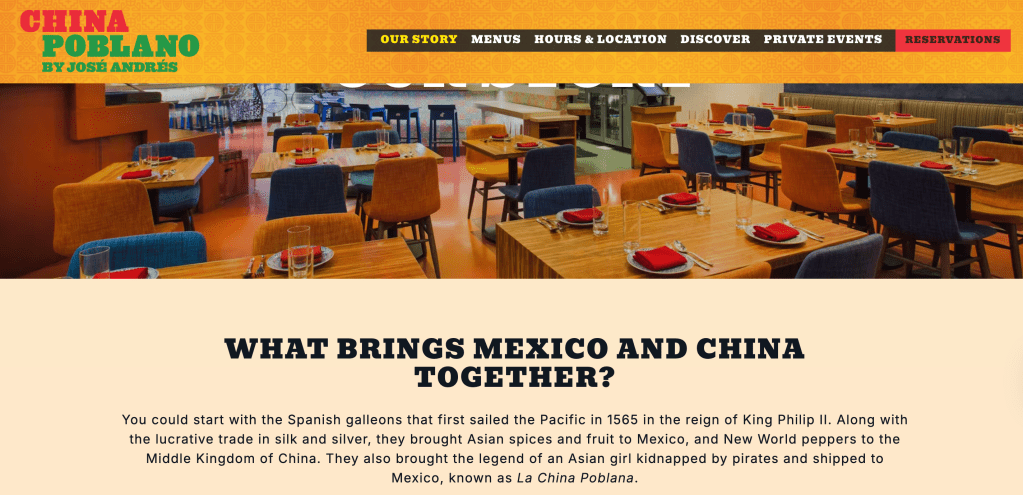
China Poblano, one of Chef José Andrés’ concepts, strategically highlights two rich food cultures (Chinese and Mexican) through bright colors and symbolic iconography, immediately communicating their unique fusion concept to website visitors.
Step 2: How to Choose the Right Platform for Your Restaurant Website
Selecting the right platform determines your website’s functionality and scalability. Moreover, different platforms offer varying levels of customization and integration capabilities.
Platform Comparison:
WordPress (Recommended for flexibility)
- Pros: Highly customizable, SEO-friendly, extensive plugin options
- Cons: Requires technical knowledge, ongoing maintenance
- Best for: Restaurants wanting full control and custom features
Real Example: Roman’s, a beloved Brooklyn-based restaurant, uses WordPress for their clean, unpretentious website featuring a unique graph paper background and daily updated menus

Wix/Squarespace (Recommended for beginners)
- Pros: User-friendly, restaurant-specific templates, built-in features
- Cons: Limited customization, monthly fees
- Best for: Small restaurants with basic needs
Custom Development
- Pros: Unlimited customization, unique features
- Cons: Expensive, time-consuming, requires ongoing developer support
- Best for: Large restaurant chains with specific requirements
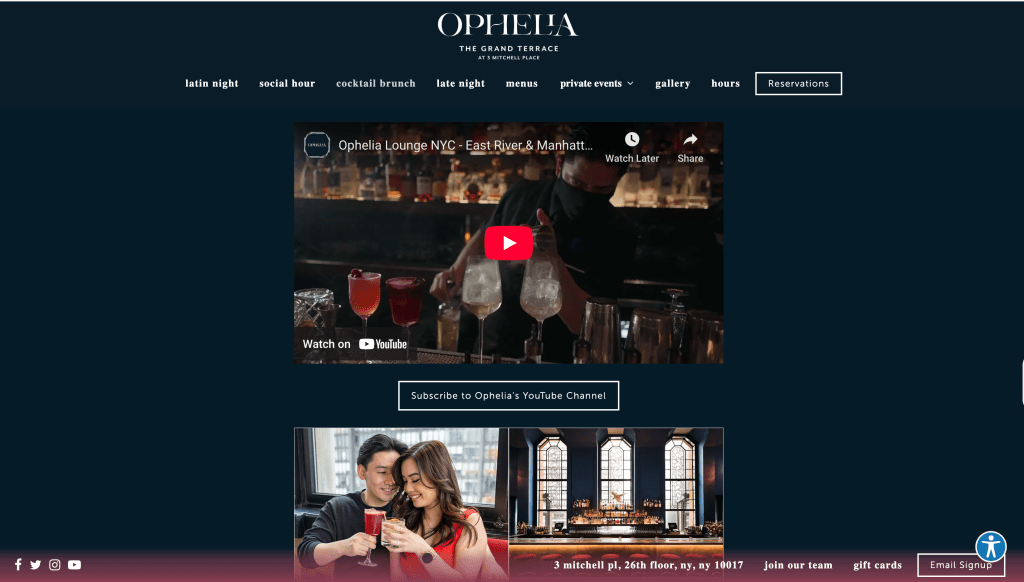
Real Example: Ophelia, a rooftop cocktail lounge in NYC, uses custom development to create an enchanting website with dark-to-light gradients and animated figures that reflect the building’s art deco history
Step 3: How to Design for Mobile-First Success (Because Your Customers Live on Their Phones)
Imagine this scenario: A group of friends is debating dinner plans while walking down the street. One pulls out their phone, searches for “Italian restaurants near me,” and starts browsing options. Within 15 seconds, they’ve either added your restaurant to their consideration list or moved on to a competitor. This split-second decision often hinges on how your restaurant website performs on mobile devices.
Since over 89% of users browse restaurant websites on mobile devices, designing for mobile first isn’t just recommended, it’s essential for survival. Additionally, Google prioritizes mobile-friendly websites in search rankings, meaning poor mobile optimization invisibly sabotages your visibility.
The Mobile-First Mindset Shift: Traditional website design started with desktop and adapted for mobile. Smart restaurant owners flip this approach, designing for the smallest screen first, then scaling up. This ensures your core message, navigation, and conversion elements work perfectly where most customers will encounter them.
Mobile Optimization Mastery Checklist:
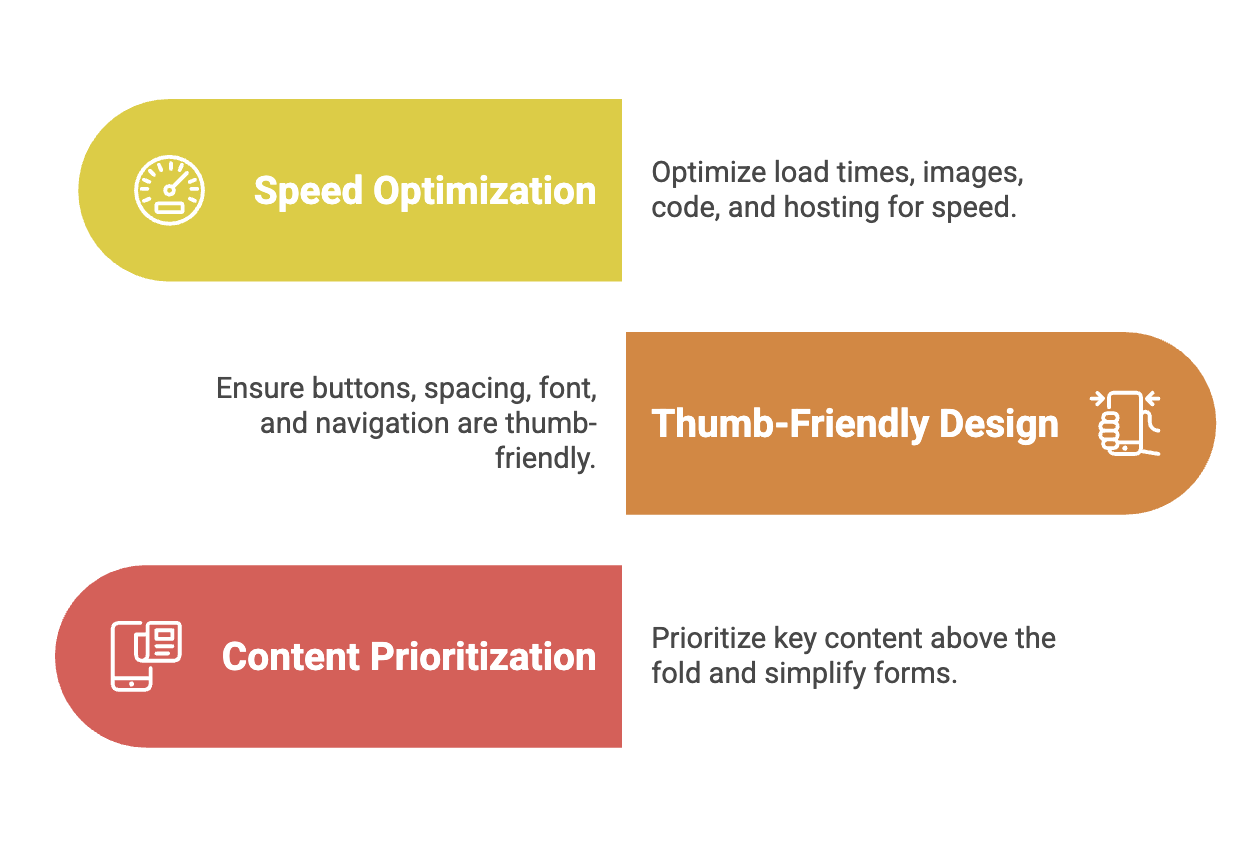
Speed is Everything:
- Target load time: Under 3 seconds (anything slower and you lose 40% of visitors)
- Optimize images: Use WebP format and lazy loading
- Minimize code: Remove unnecessary plugins and scripts
- Choose fast hosting: Invest in quality hosting that handles traffic spikes
Thumb-Friendly Design:
- Button size: Minimum 44px height for easy tapping
- Spacing: Adequate white space between clickable elements
- Font size: Minimum 16px to avoid zoom-in frustration
- Navigation: Simple, intuitive menu structure
Content Prioritization:
- Above the fold: Phone number, location, hours, and primary CTA
- One-thumb scrolling: Vertical navigation that feels natural
- Simplified forms: Minimize required fields and use autofill
Mobile Success Examples:
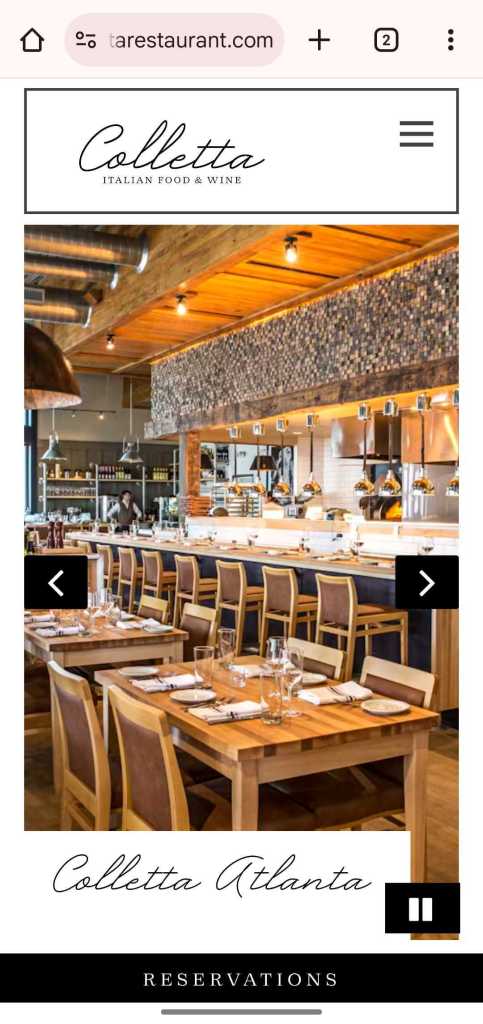
Colletta (Atlanta) features quick call-to-action buttons on mobile for reservations and phone calls, recognizing that mobile users want immediate action
Pro Implementation Tips:
- Test on real devices – Simulators miss real-world performance issues
- Use Google’s Mobile-Friendly Test – Regular monitoring prevents problems
- Implement AMP (Accelerated Mobile Pages) – For lightning-fast loading
- Consider Progressive Web App (PWA) – App-like experience without app store requirements
- Monitor Core Web Vitals – Google’s mobile performance metrics
Step 4: How to Create an Irresistible Menu Display
Your menu is the heart of your restaurant website. Therefore, presenting it effectively directly impacts conversion rates.
Menu Optimization Strategy:
Design Elements:
- Use high-contrast colors for easy reading
- Group items by category (appetizers, mains, desserts)
- Include mouth-watering descriptions
- Display prices clearly and prominently
- Add dietary restriction icons (vegetarian, gluten-free, etc.)
Technical Implementation:
- Avoid PDFs – Create HTML menus instead
- Use structured data – Help search engines understand your menu
- Include search functionality – Let customers find specific dishes
- Enable filtering – By price, dietary restrictions, or cuisine type
- Add high-quality photos – For your most popular items
Real-World Examples:
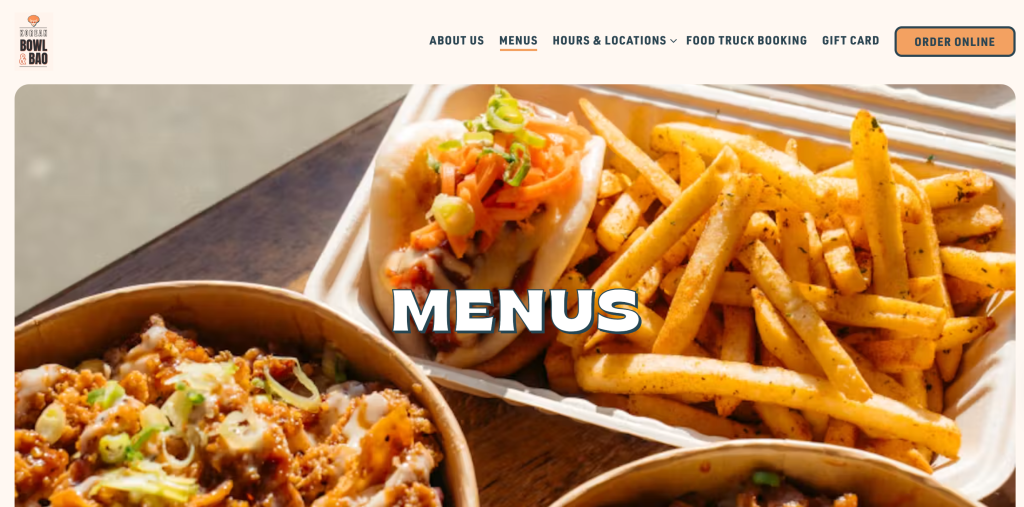
Disco Cheetah Korean Grill (Vancouver) uses mouth-watering photography of their to-go dishes in their online ordering store, making customers crave their Korean dishes
Step 5: How to Integrate Online Ordering and Reservations
Seamless online ordering and reservation systems can increase your revenue by up to 30%. Moreover, they reduce phone calls while capturing valuable customer data.
Implementation Steps:
For Online Ordering:
- Choose between third-party platforms (UberEats, DoorDash) or direct ordering
- Integrate ordering widgets prominently on your homepage
- Streamline the checkout process to minimize cart abandonment
- Offer multiple payment options (credit cards, digital wallets)
- Set up automated order confirmations and tracking
You must also read: How to Integrate Your Loyalty Program with Online Ordering & Delivery
For Reservations:
- Select a reservation system (OpenTable, Resy, or custom solutions)
- Display availability in real-time
- Allow modifications and cancellations
- Send automated confirmation emails
- Collect customer preferences and special requests
Success Examples:
The Original (Denver) features a highlighted “Reservations” button optimized to prompt visitors to book a table, successfully converting online guests into paying customers.

Step 6: How to Leverage High-Quality Visual Content That Makes Mouths Water
Here’s a brutal truth: People eat with their eyes first. Your restaurant website’s visual content determines whether potential customers imagine themselves enjoying your food or clicking away to your competitors. Professional photography isn’t just nice to have—it’s a direct revenue driver that can increase online orders by 40%.
The Visual Storytelling Strategy:
Essential Visual Elements:
- Hero shots of signature dishes – Your menu’s superstars get the spotlight
- Restaurant atmosphere photos – Interior and exterior shots that set expectations
- Behind-the-scenes content – Kitchen action and chef personality
- Staff photos – Humanize your brand and build trust
- Customer experience shots – Happy diners enjoying their meals
Implementation Excellence:
- Invest in professional photography – The ROI justifies the cost within months
- Optimize for web performance – Balance stunning quality with fast loading
- Use descriptive alt text – Boost SEO while improving accessibility
- Create seasonal content – Keep your website fresh and relevant
- Encourage user-generated content – Customer photos build authentic social proof
Visual Immersion Success Stories: Gaggan (Bangkok)

The Michelin-starred progressive Indian restaurant creates a truly immersive digital experience with animated cloud elements that complement the name “Gaggan.”
Step 7: How to Address Common User Frustrations
Based on discussions from Reddit and Quora, users frequently complain about specific website-related issues. Tackling these frustrations head-on not only enhances user experience but also gives your restaurant a clear edge over competitors.
Top Frustrations and How to Solve Them:
Problem: Hidden or Hard-to-Find Menus
Many users abandon a restaurant site when they can’t easily locate the menu.
Solution:
- Add a clear “View Menu” button right on your homepage
- Place menu links in the header and main navigation for easy access
You may be interested in reading: The Complete Guide to Menu Engineering
Problem: Outdated Information
Details like wrong opening hours or old menus can damage trust instantly.
Solution:
- Create a simple content calendar to update your site regularly
- Use dynamic content to auto-update hours, seasonal offers, or events
Problem: Slow Loading Times
Nothing drives users away faster than a sluggish site.
Solution:
- Optimize all images and reduce file sizes
- Use a Content Delivery Network (CDN) to speed things up
- Minimize the use of heavy plugins or unnecessary features
Problem: Complicated Navigation
Confusing layouts and cluttered menus leave visitors frustrated.
Solution:
- Stick to 5–7 main categories in your navigation bar
- Use clear, descriptive labels to guide visitors quickly
Step 8: How to Implement Local SEO for Maximum Visibility
If you want more nearby customers to discover your restaurant, local SEO is non-negotiable. Unlike paid ads, it’s a long-term and cost-effective strategy that boosts your visibility exactly when people are looking for food in your area.
Local SEO Action Plan:
Google My Business Optimization
Your GMB listing is your digital storefront.
- First, claim and verify your listing
- Then, ensure your address, hours, and contact info are accurate
- Upload high-quality photos of your dishes and interiors regularly
- Encourage happy customers to leave reviews
- Don’t forget to respond to reviews promptly and professionally
Read a detailed guide on the same!
Website SEO for Local Searches
Make it easy for search engines and hungry customers to find you.

Step 9: How to Build Trust Through Social Proof
Trust is the cornerstone of restaurant marketing. A single review can shape public perception, for better or worse. But when done right, social proof turns casual browsers into paying customers. In fact, it often drives more conversions than any ad campaign.
Your Trust-Building Toolkit:
Review Integration Strategy
Put your best feedback front and center.
- Feature recent reviews from platforms like Google, Yelp, and TripAdvisor
- Add a testimonials section with real customer stories and photos
- Use user-generated content from social media to show real experiences
- Highlight any awards or media mentions your restaurant has received
- Embed your Instagram or Facebook feed to showcase live customer interactions
Advanced Trust Elements
Go beyond reviews to build even deeper credibility.
- Share your chef’s credentials and your restaurant’s backstory
- Display hygiene ratings and certifications to ease safety concerns
- Talk about your involvement in local events or charitable causes
- Showcase any press coverage or influencer shoutouts you’ve received
- Introduce your staff with short bios to humanize the team behind the service
Step 10: How to Track and Measure Success
Monitoring your website’s performance helps identify improvement opportunities. Additionally, data-driven decisions lead to better conversion rates.
Key Metrics to Monitor:
Conversion Tracking:
- Online order completion rates
- Reservation booking percentages
- Phone calls generated from website visits
- Email newsletter signups
- Social media follows and engagement
Performance Metrics:

Tools to Use:
- Google Analytics for comprehensive tracking
- Google Search Console for SEO insights
- Hotjar or Crazy Egg for user behavior analysis
- PageSpeed Insights for performance monitoring
- Call tracking software for phone conversions
Step 11: How to Optimize for Continuous Improvement
Building a successful restaurant website is an ongoing process. Therefore, regular optimization ensures sustained growth and improved conversions.
Optimization Schedule:
Monthly Tasks:
- Review analytics and conversion data
- Update menu items and seasonal offerings
- Check for broken links and technical issues
- Respond to customer reviews and feedback
- Update blog content and promotions
Quarterly Tasks:
- Conduct A/B tests on key elements
- Analyze competitor websites and industry trends
- Review and update SEO strategy
- Assess website speed and performance
- Plan seasonal marketing campaigns
Annual Tasks:
- Comprehensive website audit and redesign if needed
- Professional photography refresh
- Review and update all content
- Evaluate platform and hosting needs
- Plan major feature additions or integrations
Step 12: How to Launch and Promote Your Restaurant Website
A successful launch requires strategic promotion and ongoing marketing efforts. Moreover, building awareness drives initial traffic and establishes your online presence.
Launch Strategy:
Pre-Launch (2 weeks before):
- Test all functionality thoroughly
- Create social media teasers
- Prepare email announcement
- Train staff on new features
- Plan launch day promotions
Launch Day:
- Announce on all social media platforms
- Send email blast to existing customers
- Update Google My Business with website link
- Share with local food bloggers and media
- Offer special launch promotions
Post-Launch (ongoing):
- Monitor for technical issues
- Collect customer feedback
- Share success stories and testimonials
- Continue content marketing efforts
- Optimize based on user behavior data
Conclusion
Building a high-converting restaurant website requires careful planning, strategic implementation, and ongoing optimization. Furthermore, following this step-by-step guide ensures you create a website that not only looks great but actually drives business results.
Remember, your restaurant website should work as hard as you do to attract and convert customers. Therefore, invest the time and resources necessary to create a digital presence that reflects your restaurant’s quality and service. Additionally, stay committed to continuous improvement based on customer feedback and performance data.
About The Author